Ornaments Bookmark Laser Cut Bundle 01
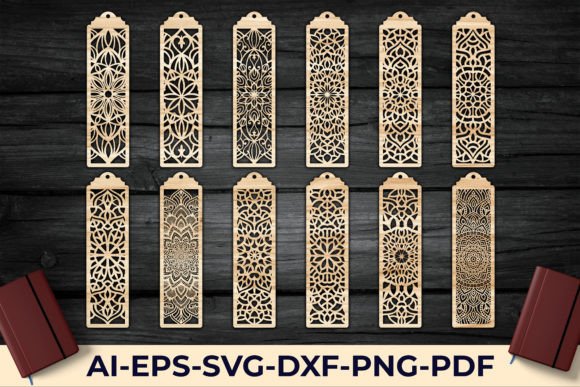
Transform a simple reading accessory into a stunning piece of art with the Ornaments Bookmark Laser Cut Bundle 01. If you are looking for a way to keep your place in style, this collection of intricate designs offers the perfect solution for crafters, designers, and book lovers alike. These aren't just basic templates; they are sophisticated design assets that bring elegance to paper and wood projects.
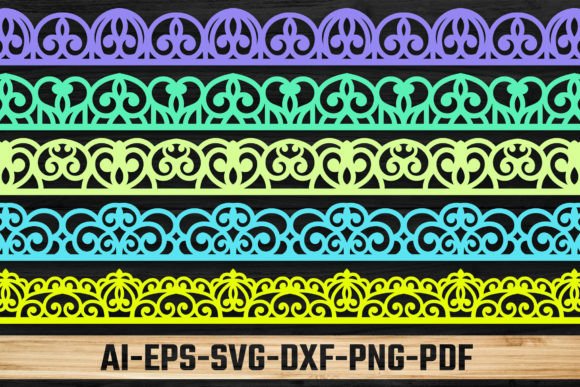
When you download this bundle, you aren't just getting a single file. You receive a comprehensive package designed for versatility. The collection includes 12 distinct designs, ensuring you have plenty of variety for different projects. To make your workflow seamless, the files are provided in multiple formats: Ai, PNG (Transparent 300dpi), SVG, EPS, PDF, and DFX. This wide range of compatibility means you can easily import them into your favorite software, whether you use Adobe Illustrator, Cricut Design Space, or other laser cutting programs. Remember, the files are compressed in one ZIP file, so you will need to extract them using tools like WinZIP or WinRAR before you begin.
Creative Applications and Design Flexibility
The primary appeal of this bundle lies in its laser-cut precision. The ornamental details are crafted to ensure clean cuts and professional results. This makes the bundle an ideal design asset for:
- Handmade Gifts: Create personalized bookmarks for friends, family, or wedding favors.
- Small Business Products: If you sell handmade goods, these designs can become a staple in your inventory of paper crafts or wooden accessories.
- Scrapbooking and Journaling: Use the PNG files to add digital embellishments to your layouts.
- Invitation Decor: Adapt the ornamental borders for elegant wedding stationery or event programs.
While this is a graphic design bundle rather than a traditional typeface, it plays a similar role in visual communication. Just as a premium font sets the tone for a logo, these ornamental patterns set the mood for your physical creations. They bridge the gap between modern typography and tactile art.
Tips for Using Your Design Assets
To get the most out of the Ornaments Bookmark Laser Cut Bundle 01, consider the material you are working with. The intricate vector paths in the SVG and EPS files are optimized for cutting, but they also work beautifully for print design. For instance, you could overlay these designs on packaging design mockups or use them in editorial design to create unique page borders.
When pairing these ornaments with text, choose a serif font or an elegant script font to complement the classic aesthetic of the designs. Avoid overly busy sans serif fonts that might clash with the intricate details. Testing your font pairing before finalizing a project ensures that your text remains readable and the overall composition looks polished.
Why Quality Design Assets Matter
Choosing high-quality design assets is just as important as selecting the right typeface for a brand. Poorly made vectors can lead to jagged edges or cutting errors. This bundle prioritizes clean geometry and professional presentation, ensuring that your final product looks refined. Whether you are a hobbyist improving your craft or a professional expanding your brand identity toolkit, having reliable, high-resolution assets saves time and frustration.
Ultimately, the goal of any creative project is to make a lasting impression. By incorporating these laser-cut designs, you add a layer of sophistication that standard shapes cannot match. They are a valuable addition to any designer's library, offering both practical utility and aesthetic charm for a wide range of creative endeavors.